ChatGPT for Excel: Prompts That Actually Work
ChatGPT for Excel: the four facts to state in every prompt, patterns that get reliable formulas, and the tasks where it is confidently wrong about spreadsheets.
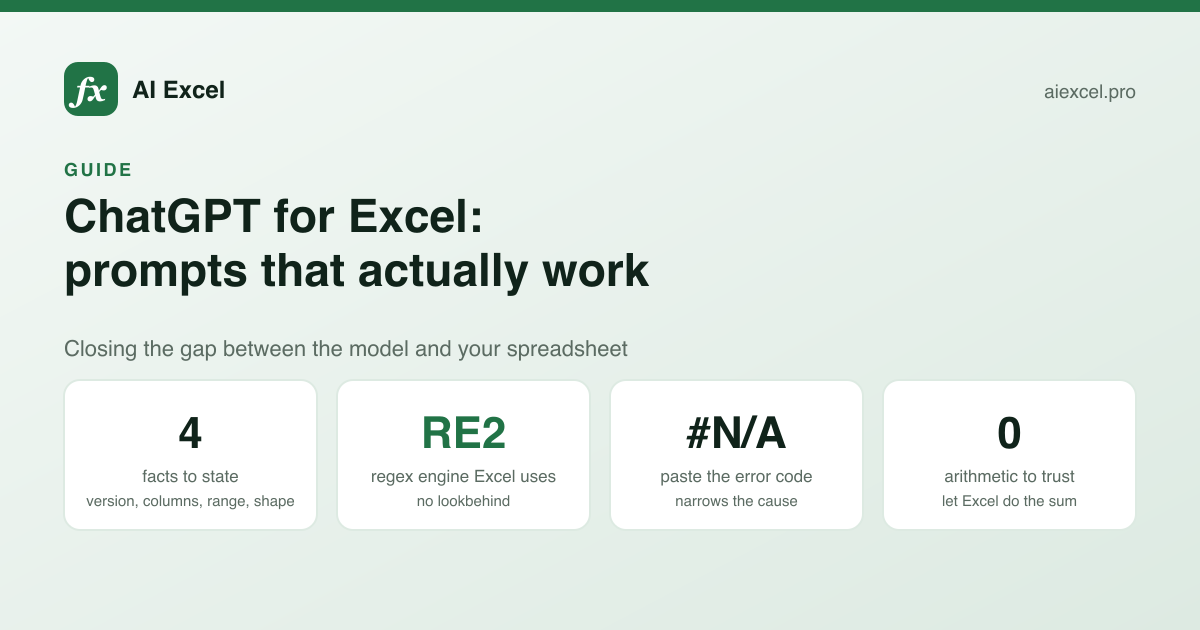
ChatGPT is good at Excel and bad at knowing anything about your spreadsheet. Every practical prompting technique for spreadsheet work comes down to closing that gap: telling it what it cannot see, and pinning down what "correct" means before it answers.
What follows is a set of prompt patterns that hold up, plus the failure modes that make a confident answer wrong.
The four things to state every time
Most bad answers trace to one of four missing facts. Include all four and the hit rate changes noticeably.
- The dialect and version. "Excel 365" and "Excel 2019" are different languages as far as XLOOKUP, LET and TEXTSPLIT are concerned. "Google Sheets" is a third.
- Your columns, by letter and by name. "Column F (Net Value)" gives the model both the reference to write and the meaning to reason about.
- Where the data starts and how big it gets. Headers on row 3, 8,000 rows and growing — this decides between a fixed range, a whole column, and a table reference.
- The shape of the answer. One cell, a spilled array, or a helper column. Asking for "one formula" when you would accept three columns costs you readability for nothing.
Typical prompt
write an excel formula to count
unique customers per month
Gets a generic answer using invented column letters, often with a 365-only function you may not have.
With the four facts
Excel 2019 (no dynamic arrays).
Sheet 'Orders', headers row 1, ~40k rows.
Column B = Order Date, column D = Customer ID.
Count distinct Customer IDs per calendar month,
as a helper column is fine.
Gets an answer that runs in 2019, uses your columns, and does not assume UNIQUE exists.
Prompt patterns that work
Give it the table, not the file
You cannot upload a workbook in most chat contexts, but you can paste five rows as text. That is usually enough, and it resolves the ambiguities that description alone leaves open — whether dates are real dates or text, whether IDs have leading zeros, whether the region column says "West" or "west" or "US-West".
Invent the values. The structure is what matters, and made-up rows avoid pasting anything you should not.
State the expected output for one row
"For the row where SKU is A-1042, the answer should be 19.99." This turns a vague request into something with a checkable answer, and it catches misunderstandings before you paste the formula rather than after.
Ask for the failure modes
Append: "then list what would make this formula return the wrong value". This reliably surfaces the absolute-versus- relative issue, the blank-cell behaviour, and the range that stops short — the three things that actually bite.
Ask for the simpler version too
Models reach for impressive formulas. "Also show the version using helper columns" gets you the maintainable option alongside the clever one, and you can pick.
For debugging, paste the error and the formula
Not just "this does not work". The error code narrows the cause enormously — #N/A is a lookup miss, #REF! is a deleted reference, #VALUE! is a type mismatch — and saying which one you have skips most of the diagnosis.
Where ChatGPT gets Excel wrong
| Reliability | Watch for | |
|---|---|---|
| Common formulas (SUMIFS, INDEX/MATCH) | High | Absolute vs relative refs |
| Explaining a formula you paste | High | Assumes ranges it cannot see |
| Regex for Excel or Sheets | Low | Writes lookbehind, which RE2 rejects |
| VBA macros | Medium | Unqualified Range() references |
| Version availability claims | Low | Offers 365 functions for Excel 2019 |
| Obscure function arguments | Medium | Plausible but invented parameters |
| Arithmetic on values you paste | Low | It is not a calculator |
Regex is the worst case
Excel and Google Sheets both use RE2, which has no lookbehind and no backreferences. The overwhelming majority of regex examples in a model's training data are written for Python, JavaScript or .NET, all of which support both. So you get a pattern that is correct for the wrong engine and fails in the cell with no useful message.
Say "RE2 syntax only — no lookbehind, no backreferences" in the prompt, or use a generator that targets RE2 by default.
Version claims are unreliable
Ask for an Excel 2019 formula and you will still sometimes get XLOOKUP, which does not exist there. The model knows the function; it is less reliable about which build shipped it. If version matters, check the function's availability rather than trusting the answer — every page in the function reference states it explicitly.
It does not calculate
If you paste twenty numbers and ask for the total, you may well get a wrong total delivered with complete confidence. Language models predict text; arithmetic is a side effect. Ask for the formula and let Excel do the sum.
A routine that holds up
- 1
Write down the four facts
Version and dialect, columns by letter and name, where the data starts and how it grows, and what shape the answer should take.
- 2
Paste five invented rows
Structure over content. This resolves the type ambiguities that prose leaves open — text dates, leading zeros, inconsistent casing.
- 3
State the expected answer for one row
Gives the request a checkable success condition and surfaces misunderstandings before you paste anything.
- 4
Ask for failure modes and the simpler version
Two short additions that get you the debugging notes and the maintainable alternative in the same reply.
- 5
Verify against a real known row
Not the example you invented — a real one from your sheet where you already know the answer.
- 6
Check the empty case before shipping
A lookup returning #N/A into a SUM turns the whole total into #N/A. This is the one that reaches a report.
When a dedicated tool beats the chat window
A general chat assistant has to be told, every time, that it is doing Excel and which dialect. A dedicated formula tool has that in its system prompt already, defaults to a fixed output shape, and — in the case of the per-function pages here — is scoped to the specific function you are on.
That is not a reason to abandon ChatGPT. It is better than any spreadsheet tool at the surrounding conversation: why is this approach wrong, what would you do instead, how should I restructure this sheet. Use the chat for thinking and a dedicated tool for the formula.