Excel Formula Generator: How to Prompt It and Check It
Get an Excel formula generator to produce the right formula first time: what to put in the description, how to verify the output, and when a formula is wrong.
An Excel formula generator turns a sentence into a formula. The tools are all roughly as capable as each other, because they are all calling a language model. What separates a useful session from a frustrating one is almost entirely the sentence.
This is a guide to writing that sentence, checking what comes back, and knowing when a formula is the wrong answer altogether.
The generator cannot see your spreadsheet
This is the single most important thing to understand, and it explains nearly every disappointing result.
A browser-based formula generator receives one thing: your text. It does not know your column headers, where your data starts, whether your lookup table is on another sheet, or that the values in column D are text that looks like numbers. If it guesses, it guesses generically — which is why you so often get =SUMIF(A:A, D1, B:B) with column letters that have nothing to do with your file.
The fix is not a better tool. It is putting the missing information in the request.
What a good description contains
What people type
total sales for the west regionFour unknowns: which column is sales, which is region, where data starts, what 'west' looks like in the data.
What works
Sum column F ('Net Value') where column C
('Region') is exactly "West" and column H
('Status') is not "Cancelled". Headers are
on row 3, data runs to about 8,000 rows and
will grow.
Every unknown answered. The 'will grow' is what gets you a range that still works next quarter.
Five things to include, in rough order of value:
- Column names and letters. Both. The name tells the model what the data means; the letter lets it write a reference you do not have to remap.
- Every condition, including the negatives. "Not cancelled" and "excluding blanks" change the formula structure, not just a parameter.
- Where the data starts. If headers are on row 3, say so, or you will get A1-based ranges that are off by two rows.
- Which sheet. Cross-sheet references need the sheet name, and adding it afterwards to a nested formula is tedious.
- Whether the data grows. This decides between a fixed range, a whole-column reference, and a structured table reference.
Set the dialect before you generate
Excel and Google Sheets are close enough to feel interchangeable and different enough to waste your afternoon. The gaps are not evenly distributed — they cluster exactly where the useful functions are.
Excel has LET, and Sheets does not. Sheets has QUERY, and Excel has nothing like it; rewriting a QUERY for Excel usually means FILTER plus SORT plus CHOOSECOLS, three functions where Sheets needed one. Sheets needs ARRAYFORMULA to spill a calculation down a column; modern Excel spills on its own.
Asking for an Excel formula and translating it to Sheets afterwards is harder than asking correctly the first time, because the translation is structural rather than cosmetic.
Checking what comes back
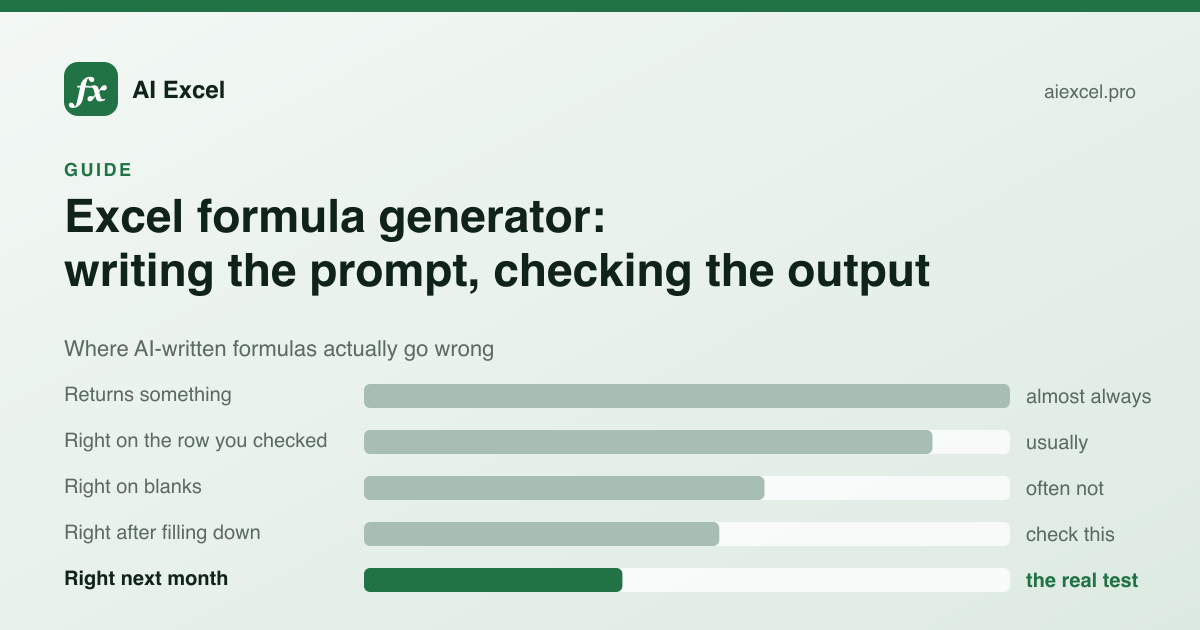
Generated formulas fail in a specific way: they are syntactically perfect, they return a number, and the number is wrong. There is no error to alert you. This makes the checking step non-optional.
Syntax errors are rare. This is why people trust the output too readily.
The first row is the one that gets eyeballed, and it is usually fine.
#N/A and #DIV/0! propagate into totals. Check an empty row deliberately.
Relative references that should have been absolute drift as you fill.
Hard-coded ranges stop at today's last row. New data silently falls outside.
- 1
One known row
Pick a row where you already know the right answer and confirm the formula produces it. Not the first row — one in the middle, where the data is typical.
- 2
One empty row
What does it do with a blank? A lookup that returns #N/A into a SUM column turns the whole total into #N/A.
- 3
Fill it down and look at the bottom
If a reference that should have been absolute is relative, the last rows will be looking past the end of your data.
- 4
Read the caveats the tool gave you
A good generator names the failure modes for the formula it just wrote. That section is the shortest path to the bug you were about to ship.
When a formula is the wrong answer
A generator will always give you a formula, including when you should not want one.
What are you trying to accomplish?
Calculate a value from data in the sheet
Formula
This is what formulas are for. Generate it, check it, move on.
The same cleanup every month
Power Query
It records the steps and replays them. A formula means redoing it by hand every month.
Move, delete or restructure data
VBA / Office Scripts
Formulas calculate, they do not act. This needs a macro.
Summarise by category
PivotTable
Faster to build than a wall of SUMIFS, and it restructures when the question changes.
Formula is four levels deep
Helper columns
Split it. Each step becomes checkable, and the next person can follow it.
Look up across two workbooks
Power Query
Cross-workbook formulas break when the other file moves or is closed.
The helper-column case is worth dwelling on. A single formula feels tidier, but a four-deep nest is hard to verify and harder for whoever inherits the sheet. Three helper columns with obvious names are almost always the better engineering, and you can hide them if the tidiness matters.
What not to put in the box
Your prompt goes to a language model on someone else's infrastructure. That is true of every tool in this category, free or paid.
Describing your columns is fine and is all the tool needs. Pasting actual rows is rarely necessary and occasionally a disclosure you are not permitted to make. If you want to give a concrete example, invent the values — the formula does not care whether the customer is real.
Try it
The formula generator on this site is free and needs no account. If you already know which function you need, the function reference has syntax, worked examples and error tables for 336 of them, each with a generator scoped to that function. And if the problem is a formula somebody else wrote, the explainer reformats it so the nesting is visible before walking through it.