Best AI Excel Tools in 2026: Honest Comparison
The best AI Excel tools compared on sign-up, free limits, price and whether they can see your data. Figures from each vendor's own pricing page, September 2026.
Most AI Excel tools are calling the same handful of language models, so they are much closer in raw capability than their marketing suggests. What actually differs is what they can see, what they cost, and whether you have to sign up before finding out.
This compares the main options on those axes. Prices and limits were taken from each vendor's own public pages on 16 September 2026 and they move — check before you buy. We build one of the tools listed, which is disclosed in its row and again at the end.
The only distinction that really matters
Before comparing features: can the tool see your data?
Tools that can — Copilot, and the platforms that accept uploads — can answer questions about your numbers. Tools that cannot must be told what your columns are called, and in exchange they need no account, no upload, and no permission grant. These are different products that happen to share a category name, and choosing between them on price is how people end up disappointed.
Side by side
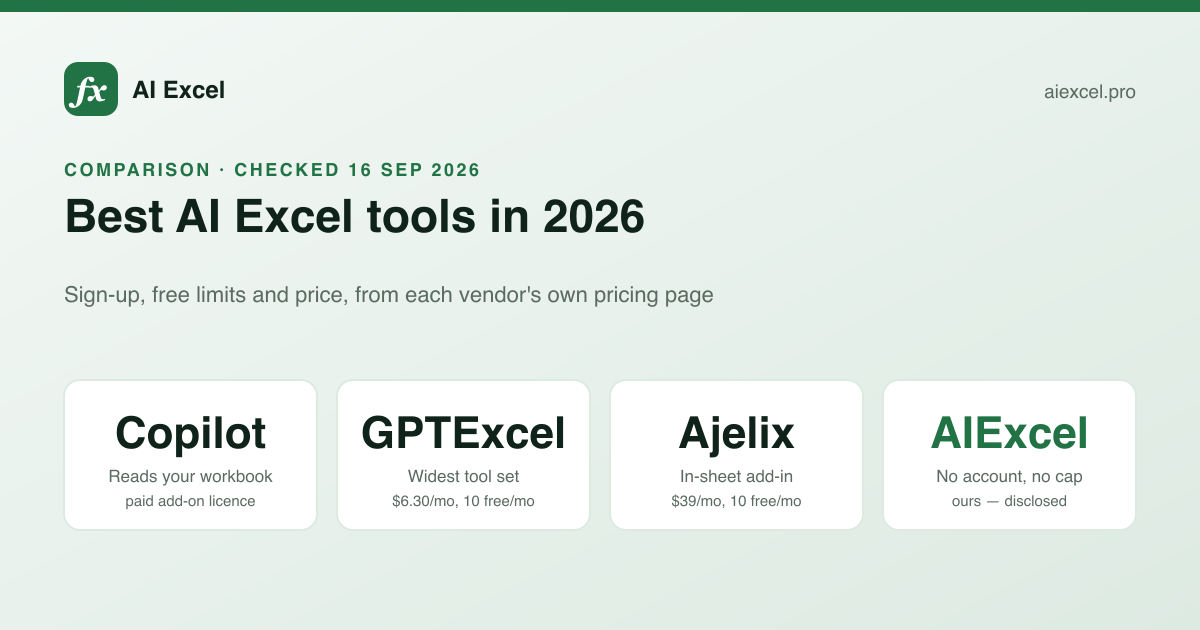
| Sign-up | Free tier | Paid from | Sees your data | |
|---|---|---|---|---|
| Microsoft 365 Copilot | Microsoft account | — | Add-on licence | Yes |
| GPTExcel | Yes | 10 messages / month | $6.30 / mo annual | Uploads |
| Better Analyst (was Formula Bot) | Yes | Limited plan | $20 / mo | Uploads + sources |
| Ajelix | Yes | 10 requests / month | $39 / mo | Add-in, in-sheet |
| AI Excel Bot | Yes | Limited | See their site | — |
| AIExcel (this site) | — | No cap | No paid tier | — |
| ChatGPT / Claude | Yes | Limited | ~$20 / mo | If you paste it |
The free-allowance row needs a caveat. Ours says "no cap" because we have no paid tier to protect, so there is no commercial reason to meter it. The vendors with low free limits are running an evaluation funnel, which is a legitimate way to sell software. That row is accurate on the facts and unfair as a judgement of the products.
The options, one at a time
Microsoft 365 Copilot
The only one on this list with first-party access to your open workbook. Strong at exploration — "which regions grew more than 10% quarter on quarter" — and at adding columns where the intent is obvious from context. Weaker at producing one exact, deeply nested formula on demand; asked for something specific it often restructures your approach instead.
Needs a paid add-on licence on top of Microsoft 365, and in most organisations enabling it is an IT decision. If you already have it, it is the first thing to try. Best for: questions about your own data.
GPTExcel
The broadest of the dedicated tools: formulas, scripts, SQL, regex, templates, pivot-table help, and chat over uploaded files. Free plan is 10 messages a month and requires an account; paid plans are inexpensive relative to the category.
Best for: someone who wants one subscription covering spreadsheets and SQL. See our GPTExcel comparison for the detail.
Better Analyst (formerly Formula Bot)
Renamed, and grown from a formula generator into a data-analysis platform with dashboards and connected data sources. Starts at $20 a month. If you want dashboards that refresh from a warehouse, it is a genuinely different class of product; if you wanted the formula generator it started as, you are paying for a lot you will not use.
Best for: recurring analysis and reporting, not one-off formulas.
Ajelix
An Excel add-in and Sheets add-on with a web app behind it, so the assistant is in the sidebar rather than another tab. The most comfortable option when you can install it — and installation is frequently the problem on a managed work machine. Free plan is 10 requests a month across all tools; paid starts at $39.
Best for: daily spreadsheet users on a machine they administer.
AI Excel Bot
Formula generation and VBA, alongside a large category-organised reference library of spreadsheet functions — that library is the reason it turns up in search for function names. A focused tool rather than a platform.
Best for: looking up a function and generating against it in the same place.
General chat assistants
ChatGPT and Claude handle Excel well if you tell them the dialect, the version and your columns every time. Their real advantage is the conversation around the formula: why this approach is wrong, what to do instead, how to restructure the sheet. Their weakness is regex, where they default to engines Excel does not use, and version claims, where they will offer XLOOKUP to someone on Excel 2019.
Best for: thinking through the problem. Prompt patterns that work covers how to get reliable answers out of them.
AIExcel — ours, disclosed
We built this one, so treat the assessment accordingly. Four tools — formulas, explanations, VBA, regex — plus 336 function reference pages. No account, no usage cap, no paid tier. No uploads, no saved history, nothing stored.
Best for: occasional formula work where signing up is the friction you are trying to avoid. Not for: analysing a workbook, which we cannot do.
Which to pick
What do you need it to do?
Answer questions about my data
Copilot
First-party access to the open workbook. Nothing else on this list has that.
A formula, now, no account
A free browser tool
Describe the result, check it against a known row, move on.
Spreadsheets all day, own machine
An add-in
In-sheet beats alt-tabbing when you do this dozens of times a day.
Recurring reports and dashboards
Better Analyst
This is a data-platform job, not a formula job.
Formulas plus SQL
GPTExcel
Broadest tool set for the price in this category.
The same cleanup every month
Power Query, not AI
Built into Excel, records the steps, deterministic. Stop paying for this one.
Two things worth ignoring
Model claims. "Powered by GPT-4" or "uses the latest models" tells you almost nothing. For writing a SUMIFS, every current frontier model is comfortably capable, and the difference between them is invisible at this task.
Accuracy percentages. Nobody publishes a methodology, and there is no shared benchmark for "correct Excel formula". A number without a test set behind it is marketing.
What is worth checking: whether the tool states which Excel version its answer needs, whether it tells you what will break the formula, and whether you can try it without an account. Those are observable in thirty seconds.
Disclosure
AIExcel is our product. Every competitor figure here came from that vendor's own public pages on 16 September 2026 and none of them paid for or reviewed their entry. Pricing and free limits change frequently; verify before deciding.